The company phone inside the platform
The customer calls you, reaches an IVR you built yourself, picks an option and is transferred to the right agent — with the call recorded next to the conversations from the other channels.
What you get
- Receives the company calls
- A service IVR built by you
- Transfer to the agent
- Business hours defined
- WhatsApp message per option
- Call recorded in customer service
- Queue by department (sales, support)
- Greeting audio generated by AI
- After-hours service
- Recorded calls
- 1 phone line included
- The line can become a WhatsApp number
Veja o telefone da empresa dentro da plataforma
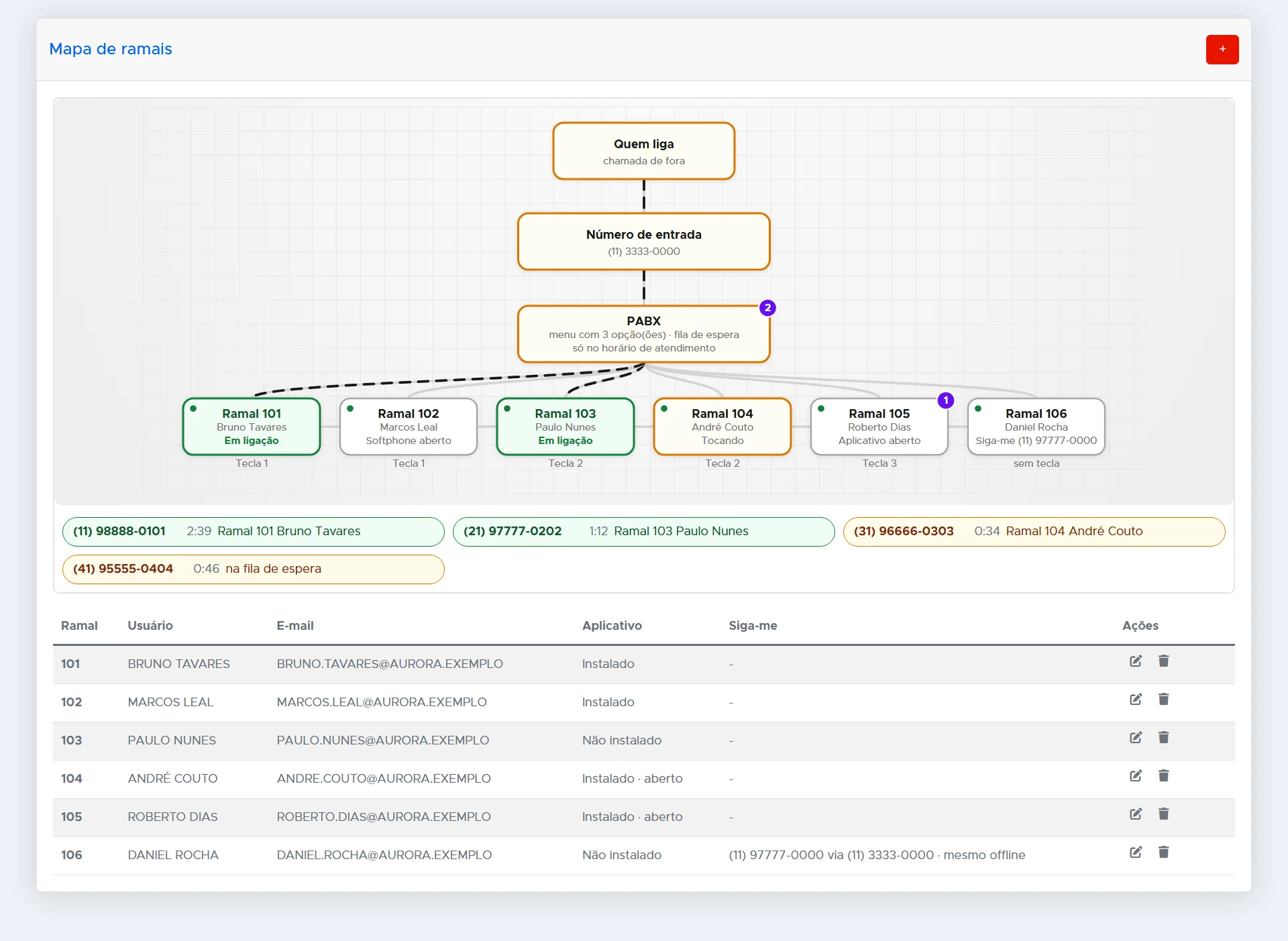
O mapa mostra quem está em ligação agora
O caminho da chamada, do número de entrada até cada ramal, com a situação de cada pessoa: em ligação, tocando, com o softphone ou o aplicativo aberto, ou atendendo pelo celular no siga-me. As ligações em andamento e quem está na fila aparecem logo abaixo.
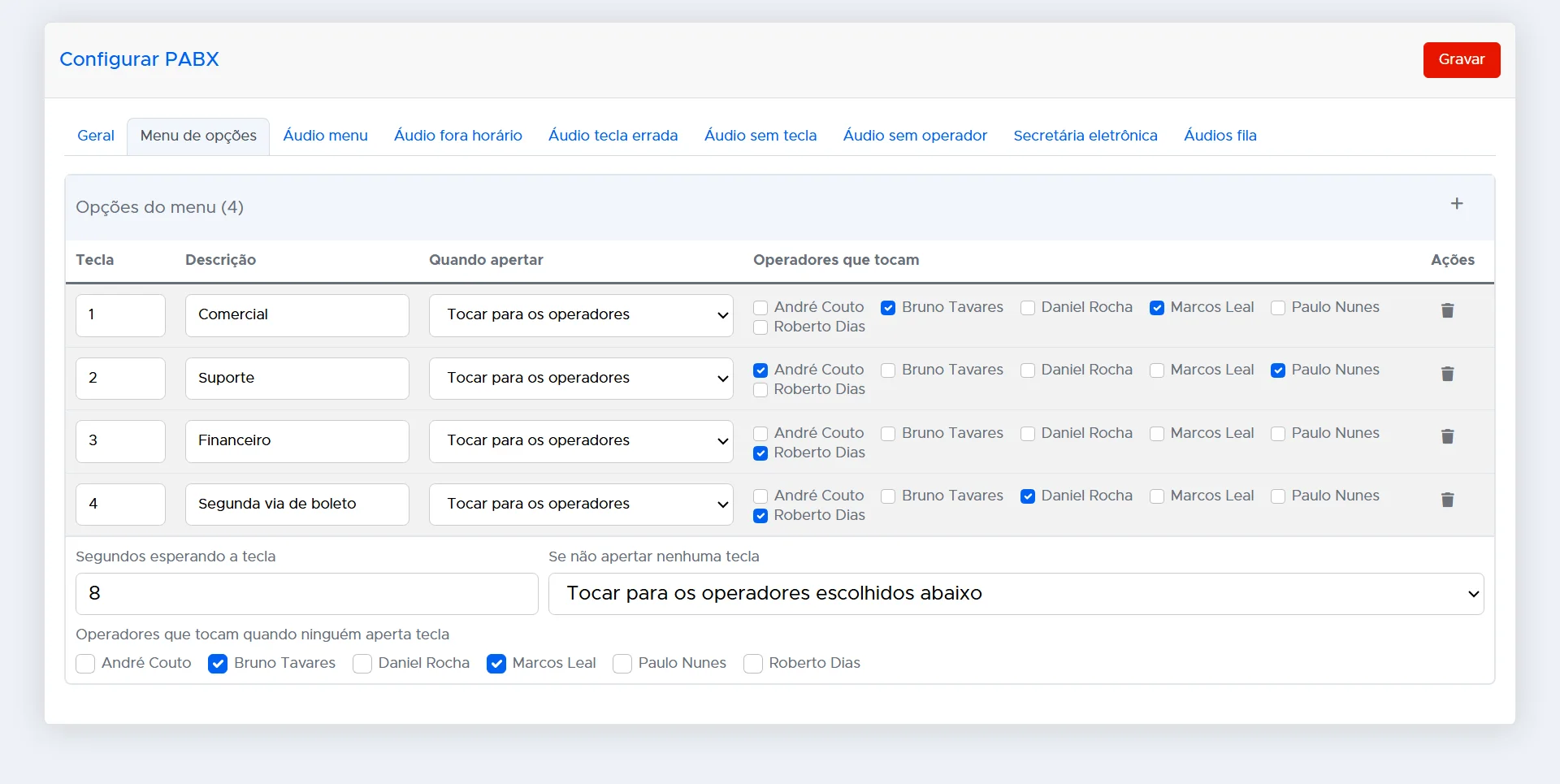
Você monta o menu de atendimento
Tecla 1 para o comercial, 2 para o suporte, 3 para o financeiro. Para cada tecla você escolhe quem toca, e define para onde vai a ligação de quem não aperta nada.
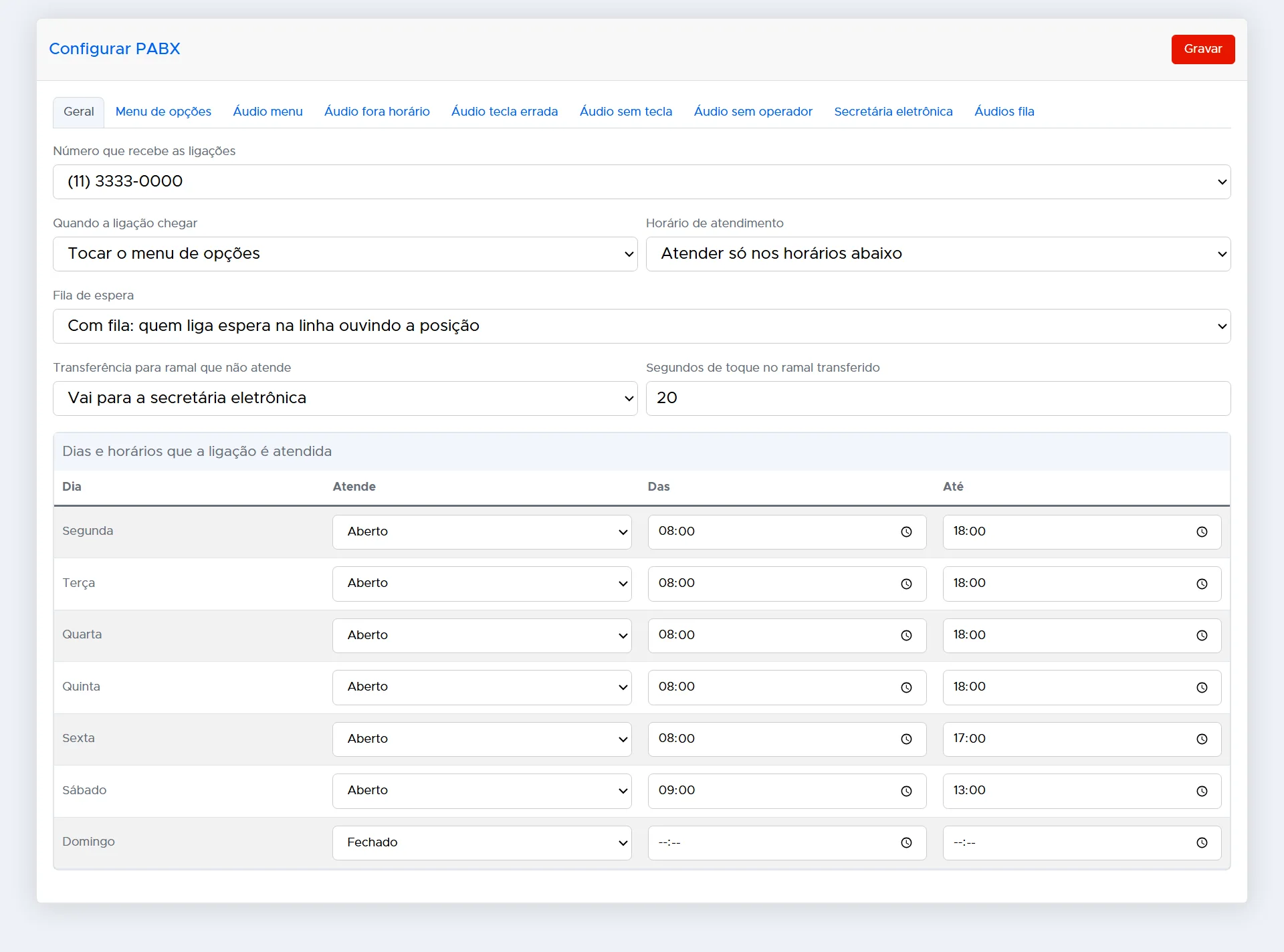
Horário, fila de espera e secretária eletrônica
Defina os dias e horários em que a empresa atende. Fora do horário toca a sua mensagem; com todos ocupados, quem liga espera na fila ouvindo a posição; e se ninguém atender, a ligação vai para a secretária eletrônica e o recado fica guardado.
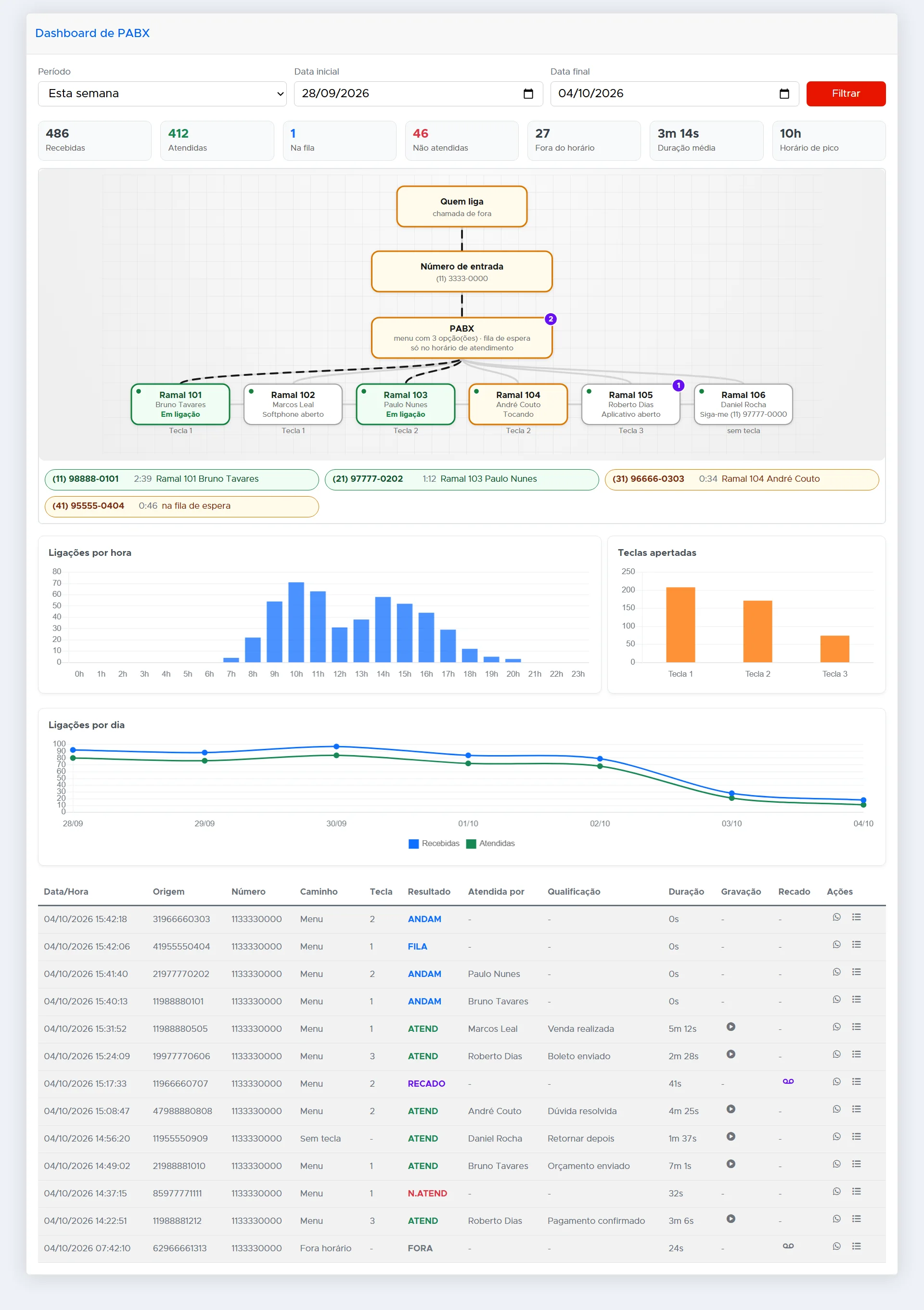
O dashboard mostra o que entrou e o que se perdeu
Ligações recebidas, atendidas, não atendidas e fora do horário, a duração média e o horário de pico. Os gráficos mostram as ligações por hora e as teclas mais apertadas, e a lista traz cada chamada com quem atendeu, a gravação e o recado.
The company phone lives out of control
The call lands on somebody phone, and nobody else knows what was agreed with that customer.
Whoever calls after hours hears an unanswered ring and goes looking for a competitor.
The customer is passed from person to person until they find someone who can solve it.
An old phone system is expensive, tied to hardware and never talks to WhatsApp.
A phone system that talks to the rest of the operation
You build the reception IVR — "press 1 for sales, 2 for support, 3 for finance" — and each option leads to the right queue, ringing the available agent. The call goes into the contact history, next to the WhatsApp, Instagram and Messenger conversations.
Optional module, contracted together with the calls and reverse IVR module. With a regular number there is no per-minute cost to receive; with a toll-free number, minutes are paid separately, with credits added directly in the platform.
O que a sua empresa ganha
Nenhuma ligação perdida sem registro
Toda chamada fica na lista, atendida ou não, com gravação e recado.
Atende de onde estiver
O ramal toca no computador, no aplicativo do celular ou no siga-me.
Telefone e WhatsApp no mesmo lugar
O histórico da ligação fica junto das conversas dos outros canais.
Common questions
Do I have to buy phone hardware?
No. Calls are answered inside the platform, on the agent computer. If your operation uses a handset or a headset, that is defined during onboarding.
Can I send WhatsApp to whoever called?
Yes. Each IVR option can send a WhatsApp message to whoever is on the line, with whatever you define for that subject.
And outside business hours?
You define the business hours. Outside them, the IVR answers with the message you choose, and the contact is still recorded for the team to follow up.
Can I get the PBX on its own?
No. The PBX is contracted together with the calls and reverse IVR module, which is the telephony foundation of the platform.
How is it charged?
It is R$ 79.00 per month, with 1 phone line included. With a regular number, receiving calls has no per-minute cost. If you prefer a toll-free number, your company pays for the call: in that case minutes are paid separately, with credits added directly in the platform.
Receba agora uma ligação da nossa IA
Digite o seu celular: a nossa IA liga na hora, de um número com o mesmo DDD que o seu, e mostra como a CINNDI funciona.
Want to see this running in your operation?
Our team shows the platform working with your own case, no fluff.